For ADHD brains and anyone who hates budgeting
Know what you can spend today.
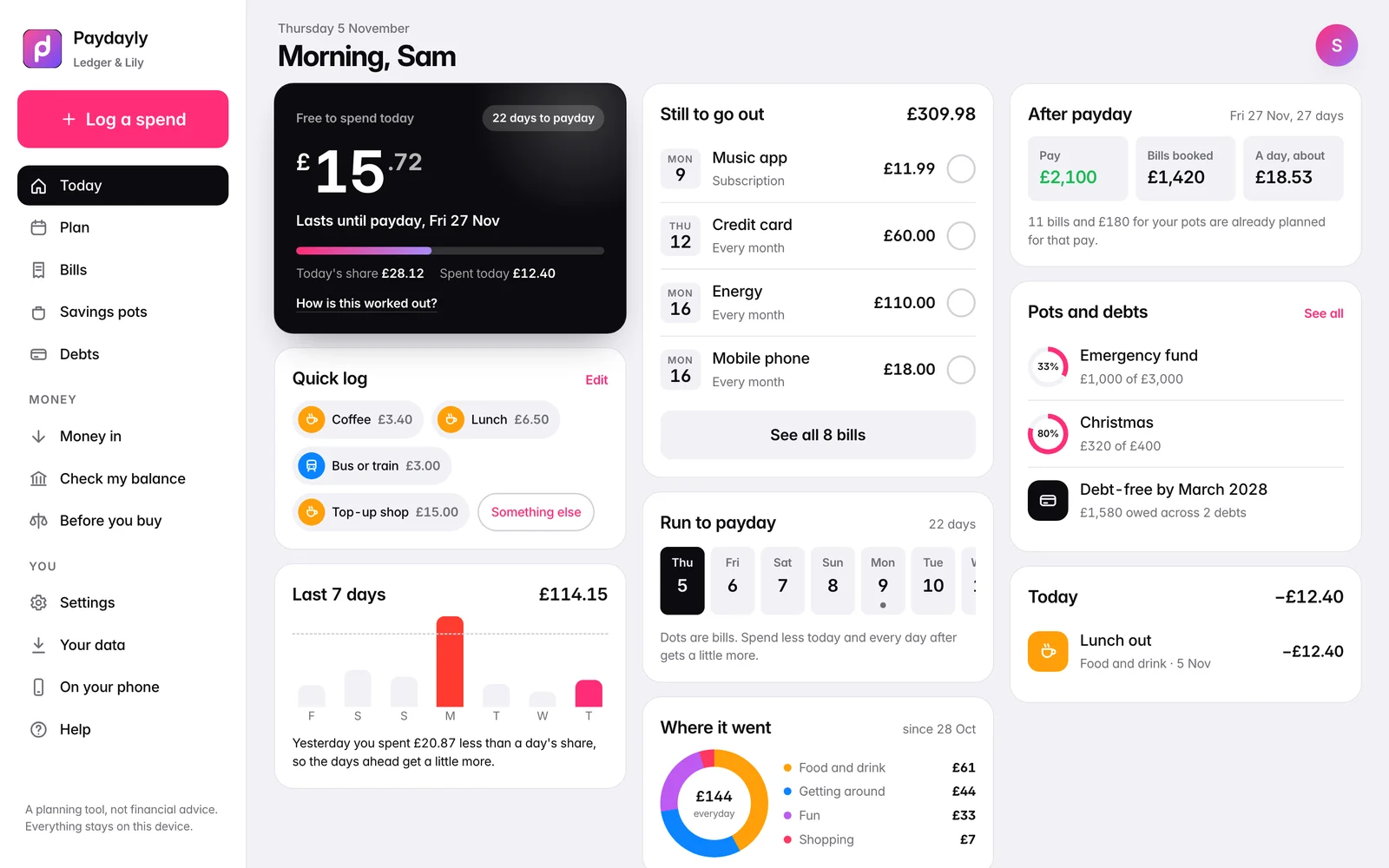
Paydayly turns your balance, your bills and your payday into one number: what's free to spend today. Check it at the till. Spend less today and every day after gets a little more.
- Pay once, no subscription
- No bank login
- Works offline
- Phone, tablet and computer
How the number works
Set it up once. Then just look.
About 90 seconds on the first day, a few taps after that.
Tell it when you're paid
Weekly, every 2 or 4 weeks, twice a month, monthly, or the last working day of the month. Pay due on a weekend or a bank holiday comes the working day before.
Add your bills
Rent, council tax, phone, subscriptions. Each one moves for weekends and bank holidays, like your bank does.
Check one number
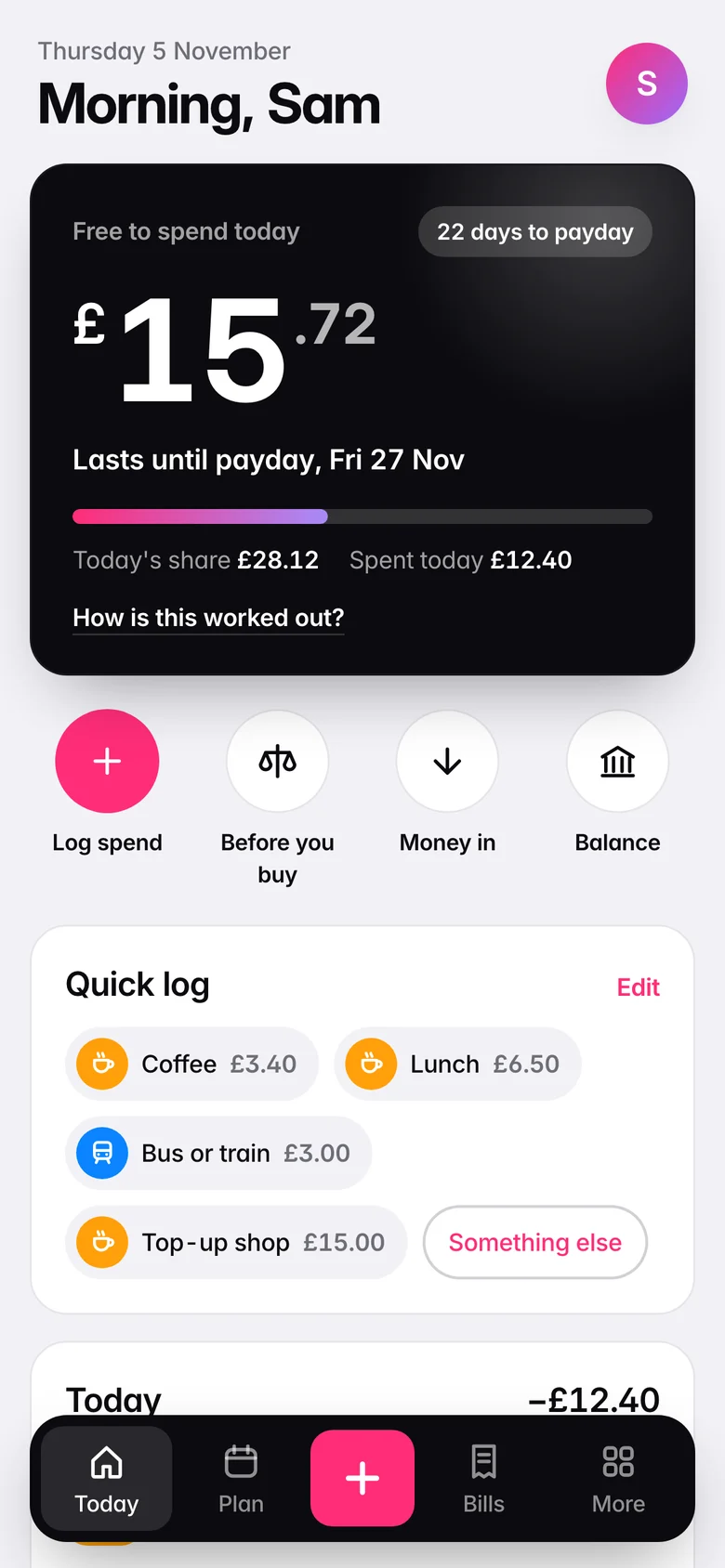
Log what you spend in two taps. Today's number updates, and tomorrow's is worked out fresh.
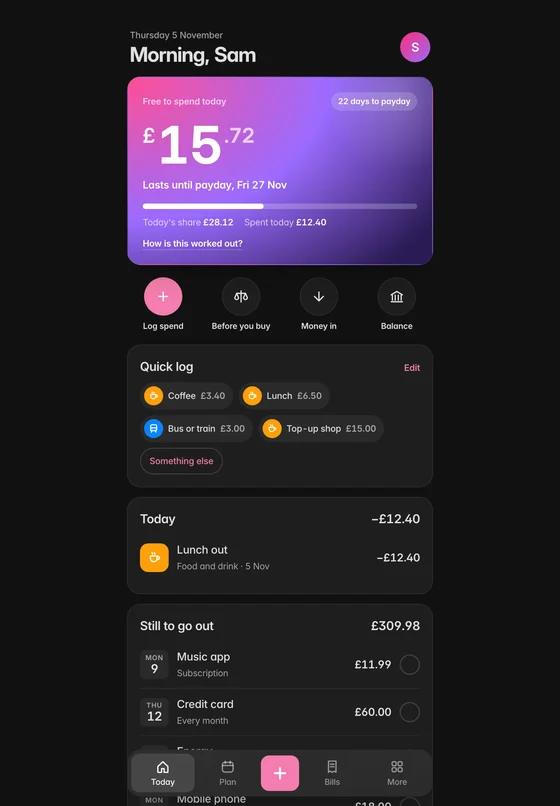
The example month in the free demo, as the app works it out: spend £12.40 today and £15.72 of today's share is still free. Every bill is held back before it leaves, so the number never counts money that's already spoken for.
Budgeting isn't a willpower test.
Most money apps hand you charts and categories and hope you'll read them. If your brain skips the boring part, that isn't a flaw. Paydayly gives you one answer, at the moment you need it, and does the maths in the background.
Watch it
Light by day. Dark after dark.
Pick White or Dark in Settings, and switch any time.
White
Log a coffee in one tap, see what a price does before you buy, and the whole month on a computer.
Dark
Check a price first, tick a bill once it's gone, and the plan on a laptop.
Every app screen is a real capture of the demo. The desk scene near the end of the White video is AI-generated, and the devices are mock-ups.
Everything in one place
Small app. The parts that matter.
Bills
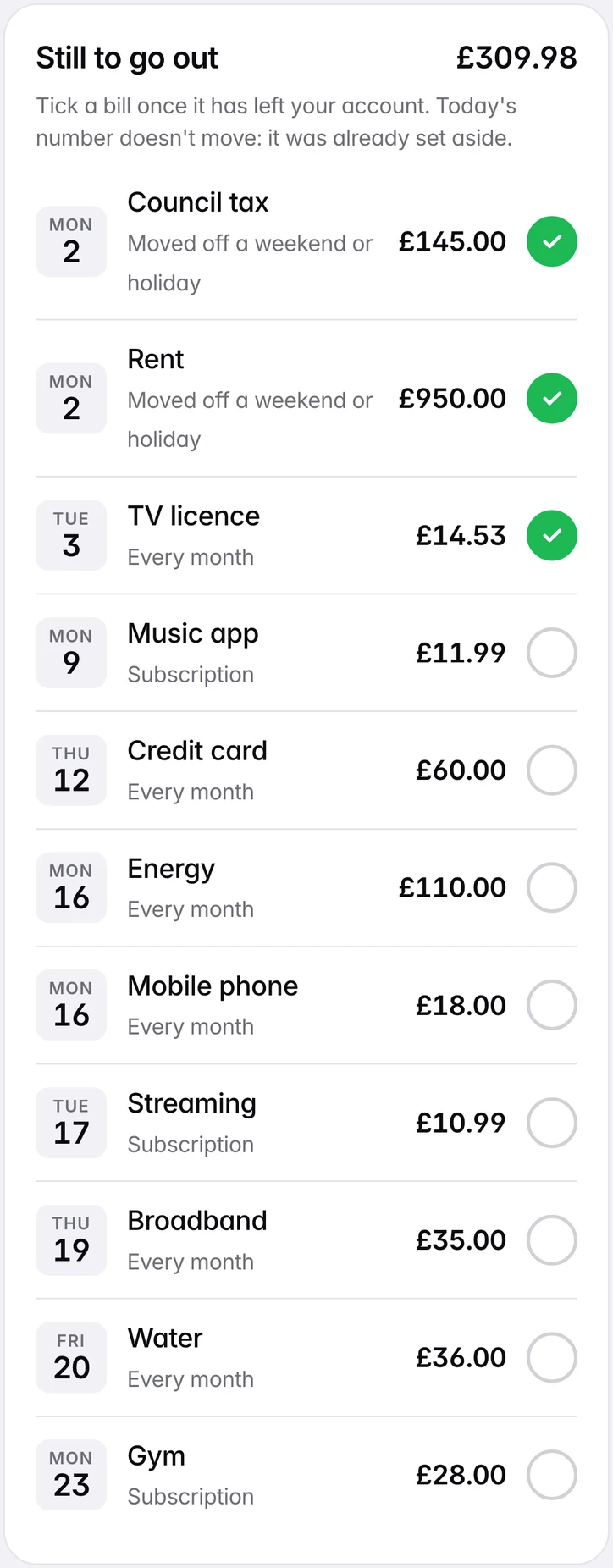
Bills that know about bank holidays.
Rent due on a Sunday? It moves to the next working day. Tick each one off once it has left your account.
Logging
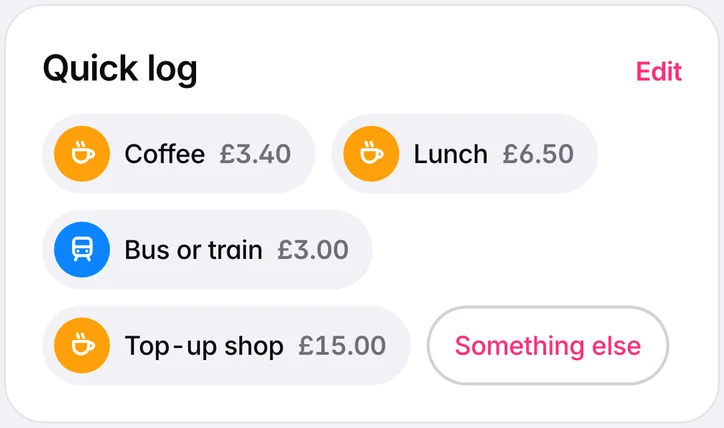
Two taps, done.
Your usual spends sit one tap away. Change the buttons to yours. Anything else goes in on a big keypad, and every change shows Undo straight after.
Pots
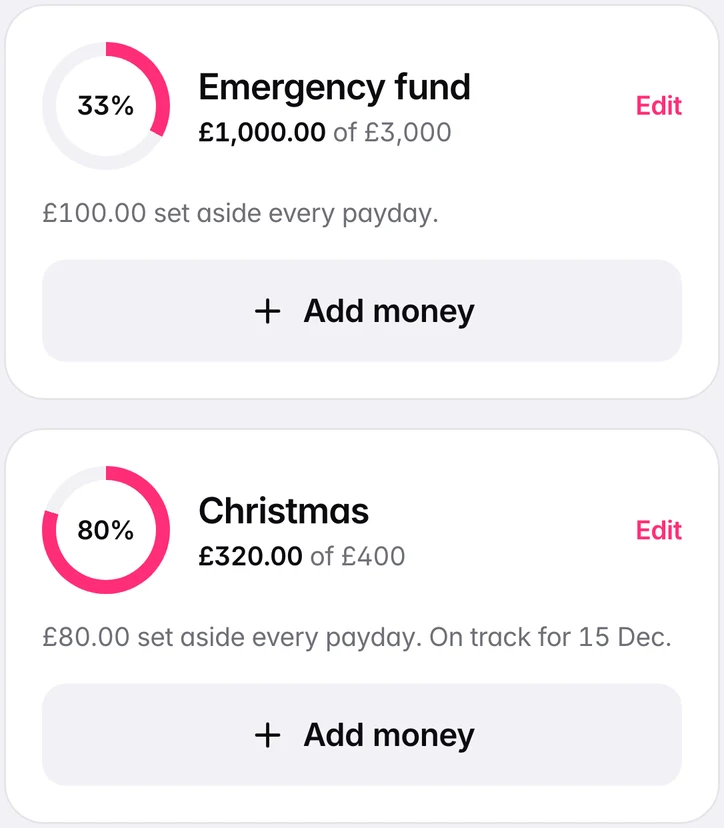
Save without thinking.
Each payday's share comes off your number first, so it never gets spent by accident. Give a pot a target and a date to see what each payday needs.
Debts
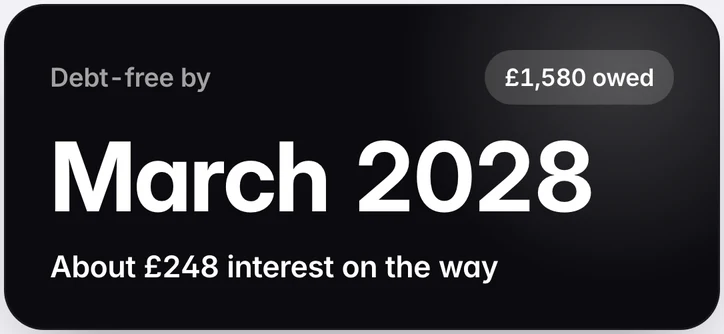
A date you'll be debt-free.
Highest rate first or smallest first, plus any extra you can spare each month.
Plan
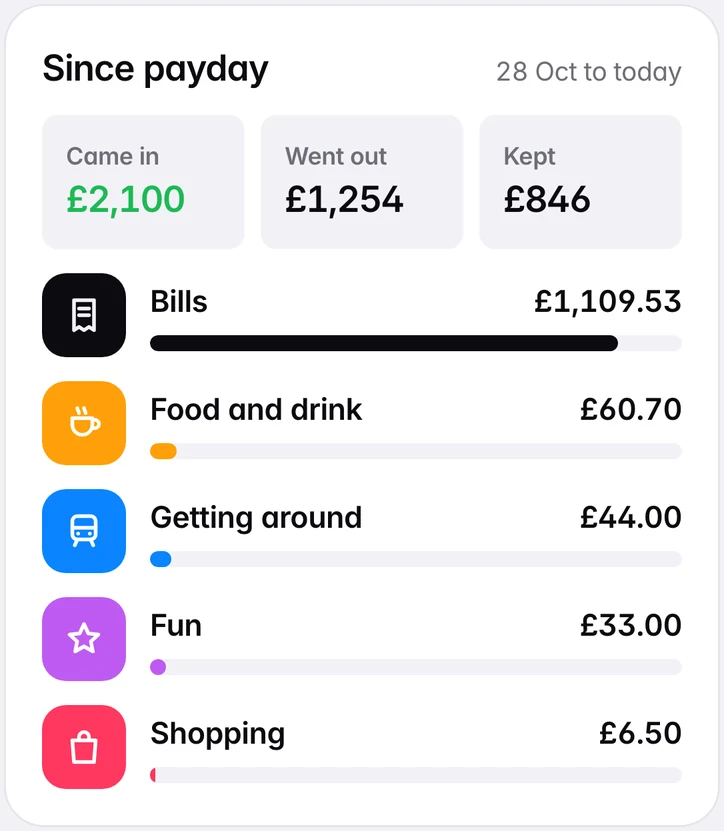
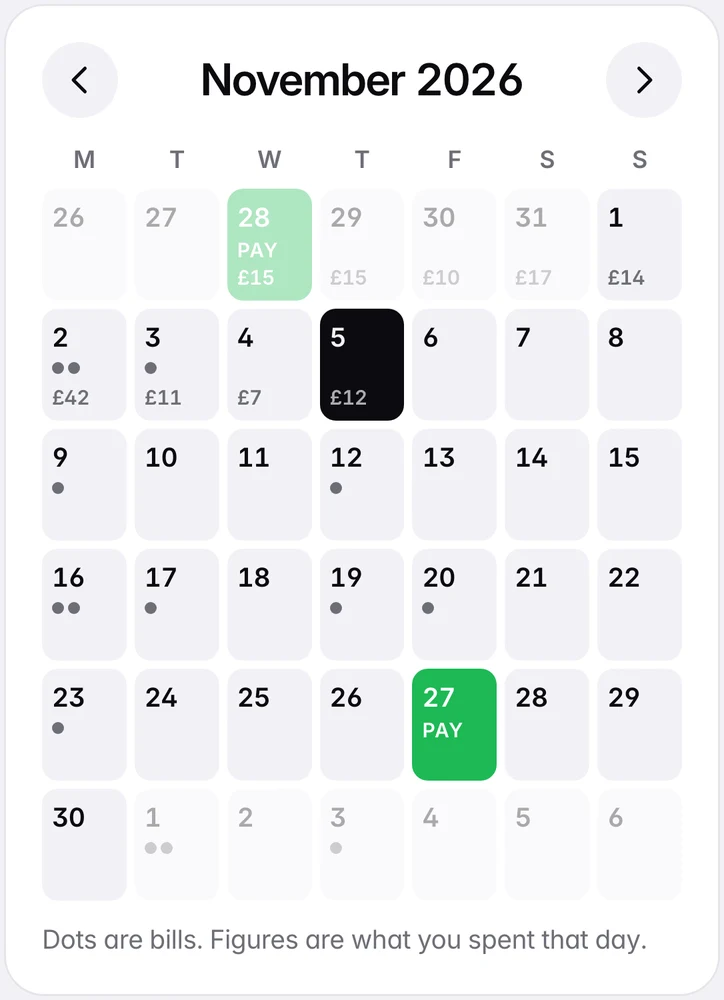
The month at a glance.
Paydays, bills and what you spent each day, on one calendar. And since payday: what came in, what went out, what you kept.
Fits your life
However you're paid.
- Weekly, every 2 or 4 weeks, twice a month, monthly or the last working day
- England and Wales, Scotland and Northern Ireland bank holidays (US federal holidays too)
- 16 currencies
- Subscriptions show what they cost you a year
- Backup file, restore and CSV export
- White or Dark look
Private by design
What Paydayly will never do.
Your numbers live on your phone, and nowhere else. Nobody else can see them.
Ask for your bank login
You type your balance. It takes seconds and works with any bank.
Send your numbers anywhere
They stay on your phone. No sync, no account.
Charge you every month
You pay once. There's nothing to cancel.
Show you ads
Nothing to sell you, and no data to sell about you.
Need a signal
After the first open it works offline, on the bus or in the queue.
Keep a copy for you
Save a backup file any time and restore it on a new phone.
Price
Pay once. Keep it.
Paydayly
£6.98 once
- Phone app for iPhone and Android, plus an offline copy for your computer
- UK and US holidays, 16 currencies
- An instant download on Etsy: your app address and a QR code
A subscription budgeting app
Every month or every year
- Keeps charging until you cancel
- Often asks for your bank login
- Needs an account and a sign-up
Questions
Does it connect to my bank?
No. You type your balance and check it against your bank app whenever you like. That's why it works with any bank, and why nobody else sees your money.
Where are my numbers kept?
On the device you use, in the app's own storage. Nothing is sent anywhere. Each device keeps its own numbers and nothing syncs, so save a backup file now and then: the app reminds you.
What if I lose my phone or get a new one?
Open your app address on the new phone and tap "New phone? Restore from a backup", then pick your backup file. Everything is back.
Is it an App Store app?
No. It's a web app you add to your Home Screen from Safari (iPhone) or Chrome (Android). It opens from its own icon like any other app, with nothing to install from a store and no account.
Does it work on a computer?
Yes. Open the same address in your browser, or use the offline copy for your computer that comes in the download. Tested in Chrome, Safari and Firefox on a Mac and at phone size.
My pay changes each time.
Leave the usual pay blank and log what actually lands. Today's number always works from your real balance.
I'm not in the UK. Will it work?
Yes. Pick the United States for US federal holidays, or Somewhere else for none, and choose from 16 currencies, including pounds, dollars and euros.
Can I try it first?
Yes. The free demo at demo.paydayly.co.uk opens on an example month so you can see how it feels, then lets you try your own numbers (up to 20 logs).
How do I get it?
Buy it on Etsy. The download is a START HERE PDF with your own app address and a QR code: scan it, add the app to your Home Screen, and set it up in about 90 seconds.
Tomorrow morning, know your number.
Try it with an example month, then with your own.
 Scan to try it on your phone